Qoherent
GRC-Agent
GRC-Agent
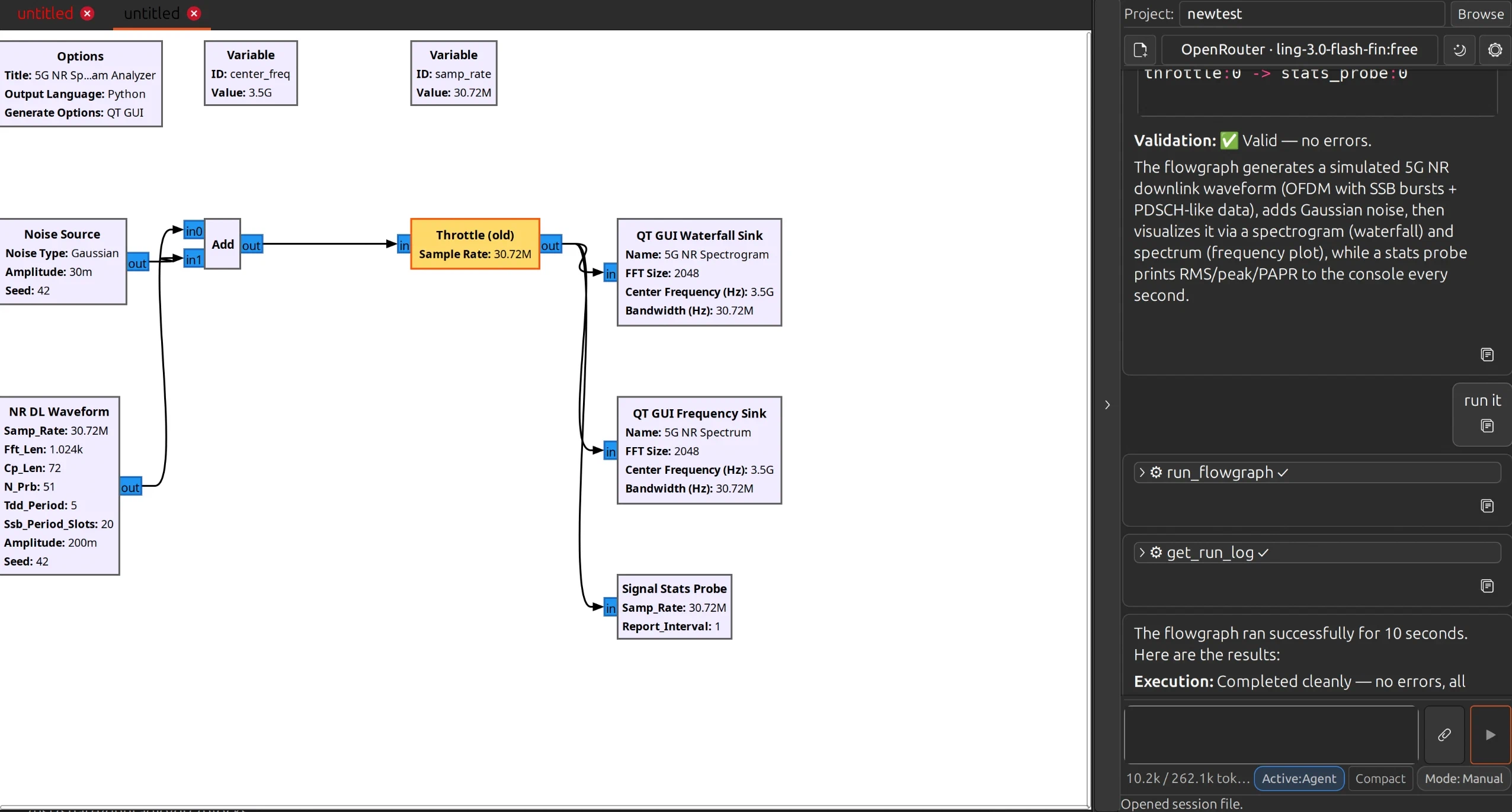
A free, open-source AI assistant that lives inside GNU Radio Companion. It reads the flowgraph you have open, answers questions grounded in the real GNU Radio block catalog and wiki, and edits the graph directly through validated tool calls rather than by rewriting your .grc file.
It runs entirely on your own machine with a local model, or with any OpenAI-compatible API.
Why not a general coding assistant
General-purpose coding assistants treat a flowgraph as a text file. A .grc is YAML, and most of it is canvas bookkeeping: block coordinates, rotations, port bus structures. Editing that as text produces graphs that look valid and are not.
GRC-Agent works on the live flowgraph in memory instead:
- It looks up block names, parameters and units in a searchable GNU Radio catalog and docs wiki rather than recalling them, so it does not invent block IDs or pass Hertz to a block that expects radians per sample. Keyword search works out of the box; semantic search is an optional one-click install.
- Every edit needs your approval first. You see the agent’s reason and a summary of the proposed change, then Approve, Deny, or Always accept. That is the default. A Mode toggle switches to Auto when you want it to stop asking, and back again whenever you like.
- Every edit is applied as a single batch and then handed to GNU Radio’s own validator. If validation fails the whole batch is rolled back and your graph is left exactly as it was.
- Topology changes re-layout the whole graph into clean layered rows, so the canvas does not degrade into a pile of blocks after multi-step edits.
- Running a flowgraph also needs approval, because it may transmit on connected hardware. Stopping never does. Ask for a bounded run and the agent stops the graph itself when the time is up.
- A separate read-only Planner mode researches and drafts a step-by-step plan without touching anything. Nothing changes until you hand it to the executor.
See it work
One prompt. A complete simulated BPSK radio link with a live browser dashboard, from a single request.
Live off real hardware. A full ADS-B receive and decode chain from a PlutoSDR, receive-only, tracking real aircraft overhead. The first build did not decode; told so, it re-examined its own CRC and pulse-decoding logic and corrected the chain.
From a paper to a working flowgraph. A published design turned into a running GNU Radio implementation.
With the network unplugged. Running on a local model, with nothing leaving the machine.
Who it is for
- RF engineers and researchers using GNU Radio for prototyping
- Teams building SDR testbeds who need faster iteration
- Educators who want guided examples and consistent labs
- Anyone working somewhere their designs are not allowed to leave the building
Read more
A longer write-up of how it works, why a flowgraph is not a text file, and what it looks like in practice: Build Autonomously with GRC Agent.
Questions
GRC-Agent is released under AGPLv3, although alternative permissive and commercial licensing options are available upon request. Please contact us for further details.
Using GRC-Agent to design flowgraphs places no obligation on you, and it does not make your flowgraphs open source. Your designs are your own work. AGPL obligations apply if you modify GRC-Agent’s own source and then distribute it or run your modified version as a network service.
If you run a local model, your flowgraph, your prompts and the replies all stay on your machine.
Two exceptions. The agent includes web search and page fetch tools and will reach the internet when it uses either. And if you choose a cloud provider instead of a local model, your prompts and graph content go to that provider like any other API call.
Ubuntu 24.04 or 26.04, Python 3.12 to 3.14, and GNU Radio 3.10.
Ubuntu 22.04 will not work. It ships Python 3.10 and GNU Radio’s Python bindings are compiled against that version, so there is no way to bridge to the 3.12 the agent requires without rebuilding GNU Radio.
It cannot leave your graph half-edited. Changes are applied as one batch and validated by GNU Radio itself; a failure rolls the whole batch back and the agent retries using the validator’s own error message.
Agent edits and your own manual edits also share a single undo history, so either of you can undo the other’s last change.
Not by default. Every graph edit and every shell command shows you an approval card first, with the exact change or the full literal command. You can approve once, always allow a given command for the session, or switch the Mode toggle to Auto if you would rather it stopped asking.
Starting a flowgraph always needs approval because it may transmit on connected hardware. Stopping never does. Runs can be bounded so a flowgraph stops itself after a set number of seconds.
Destructive shell commands are denied outright, the agent is sandboxed to your project folder, and your provider API keys are stripped from the environment of anything it runs.